Inserting a SIM Card
After removing the product from the box, insert SIM card first.
To insert the SIM card:
For Wi-Fi connection, you don't need to insert a SIM card.
Open the product's SIM slot.

Place the SIM card with the missing corner facing down and the gold face towards the inside of the product (the side touching the neck).
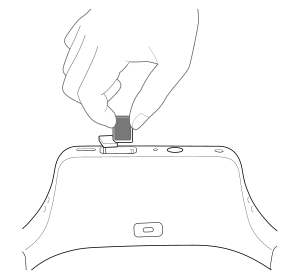
Insert the SIM card until it clicks into place.
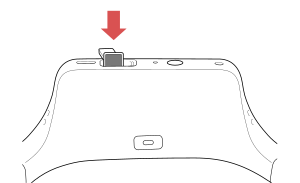
After inserting the SIM card, make sure that the APN setting is appropriate.
To remove SIM card, push the card back in. A click sounds and the card pops out of the slot.